At Jurojin Poker, we understand the importance of a comfortable multi-tabling experience for every player setup. Whether you’re using a single laptop screen or managing multiple monitors on a desktop, our platform ensures seamless gameplay. Our dedication lies in offering adaptable solutions to meet the distinct needs of various hardware setups, enhancing your play on any device.
👉Read our Article Gaming Setup Ideas: A Poker Tailored Approach to Learn How to Build your Poker Dreamed Setup
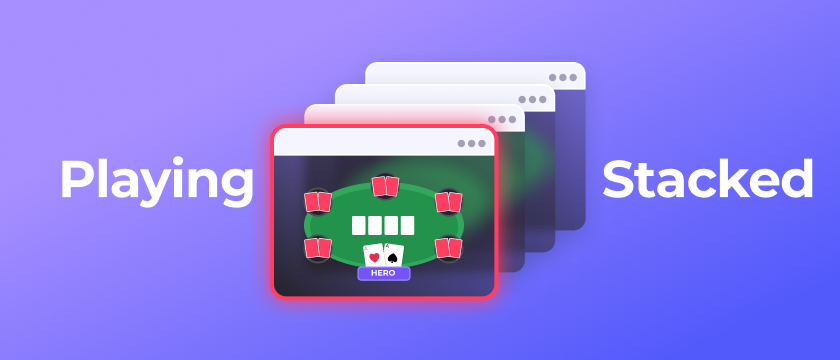
Adopting Stacked Gamestyle
Playing on Stacks is a great way to get the most out of reduced Screen Space, although it is sometimes the preferred gamestyle for a lot of players who have the necessary space to make a tiled and distributed layout anyways since it will allow you to use the remaining space for other content.
Stacked Gamestyle means that you will have multiple tables within the same slot, and allow Jurojin to manage the urgency by switching the topmost table with the table that requires your attention the most.
So every time you make an action on a table, if there's another one that requires action, will get to the top of the stack so you can act on it, allowing you to play many tables on just 1 slot.
Configuration Caveats
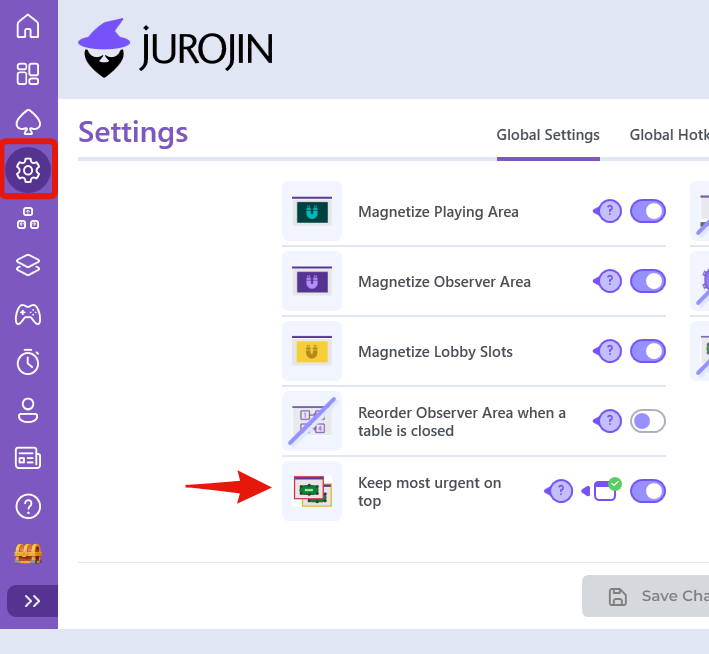
Any Slot will behave like a stack as long as it holds many tables, the only mandatory requirement is that you enable "Keep most urgent on top" on General Settings
👉Keep most urgent on top gives Jurojin full authority over table urgency. Whenever you act on a table, Jurojin automatically brings the next most urgent table to the top of the stack, helping you focus only on tables that require attention.
Stay in Control of Your Stack
Even when using stacked gameplay, poker sites can occasionally change which table appears on top. This may happen when a bounty is collected, a tournament notification appears, a prize is awarded, or any other popup temporarily steals focus.
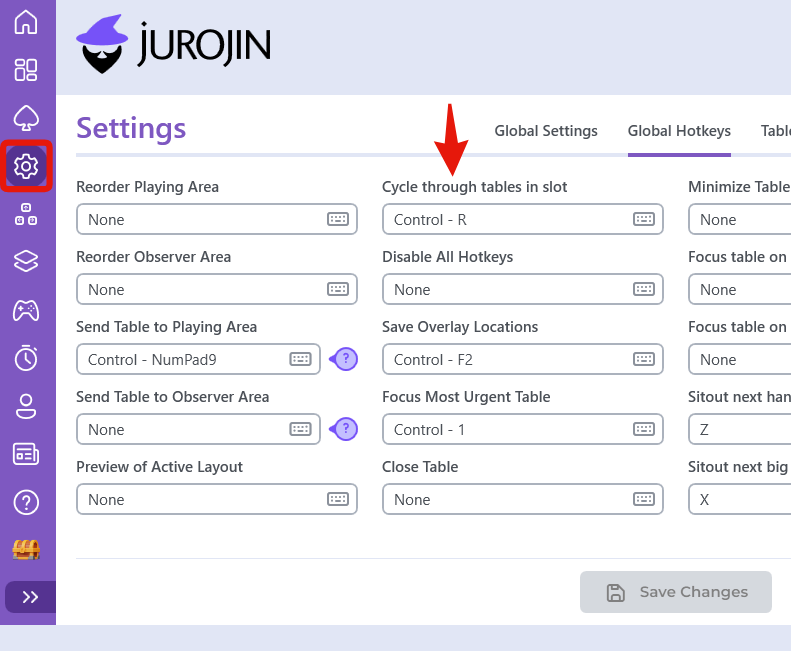
Because of this, it is important to have at least one way to manually navigate the stack and quickly regain control whenever needed.
Jurojin provides two ways to do this:
- Cycle Through Stack HotKey — Instantly rotate through every table in the stack using a dedicated hotkey.
- Action Required Counter — A small HUD that shows how many tables currently require action. Clicking the counter cycles through all pending-action tables.
Please do not forget to Delegate Table Urgency to Jurojin
Track Tables Amount with Counters Overlay
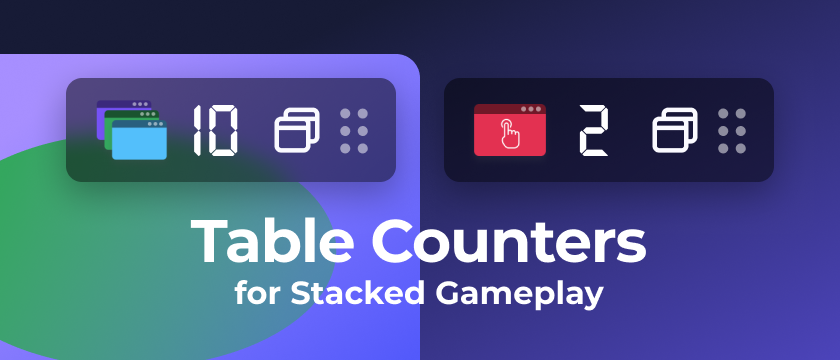
Table Counters is a lightweight HUD that helps you monitor stacked gameplay more efficiently.
It displays:
- How many tables are currently inside the stack.
- How many tables are waiting for your action.
Beyond tracking information, the Action Required Counter can also be used as a navigation tool. Clicking the counter cycles through all tables that currently require action, making it easy to find pending decisions during high-volume sessions.
This becomes especially valuable when playing large stacks, where manually locating action-required tables can interrupt your workflow.
Include a Dynamic Slot into your Gameplay
In Hand Slots can be a nice fit when playing Stacked, allowing only the most important hands to get the spotlight.
Essentially when adding an In Hand Slot tables will move onto when you VPIP or Flop shows up. In Hand Slot can also become a stack by holding many tables.
What About Ignition/Bodog with Stacked Gameplay?
Only when using Jurojin, you can stack tables with Bodog/Ignition, sice table info will not update normally when stacking tables except when running Juro
Configuration - Delegate Urgency Management to Jurojin
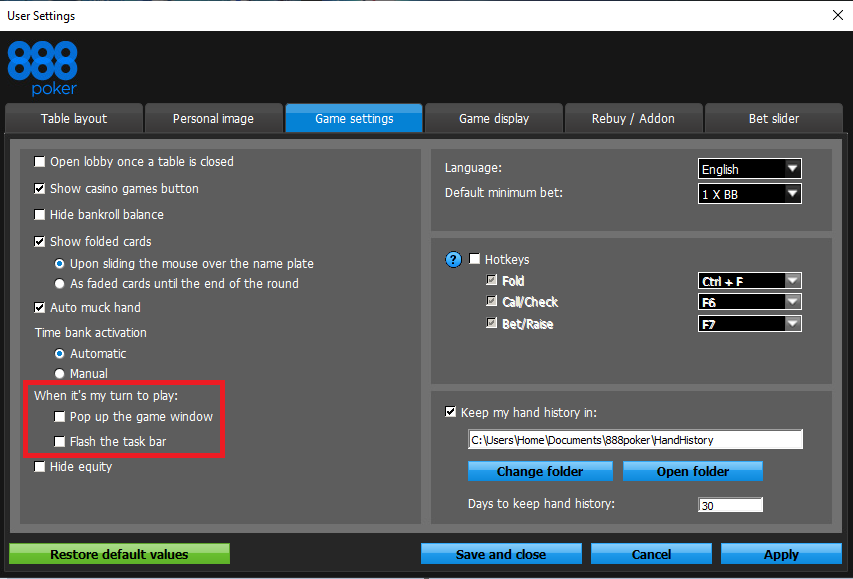
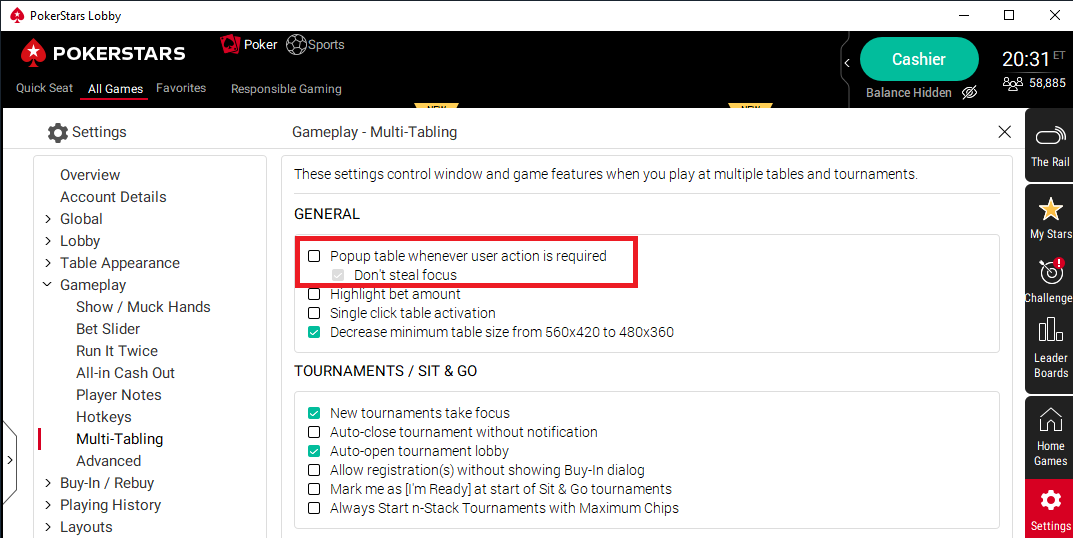
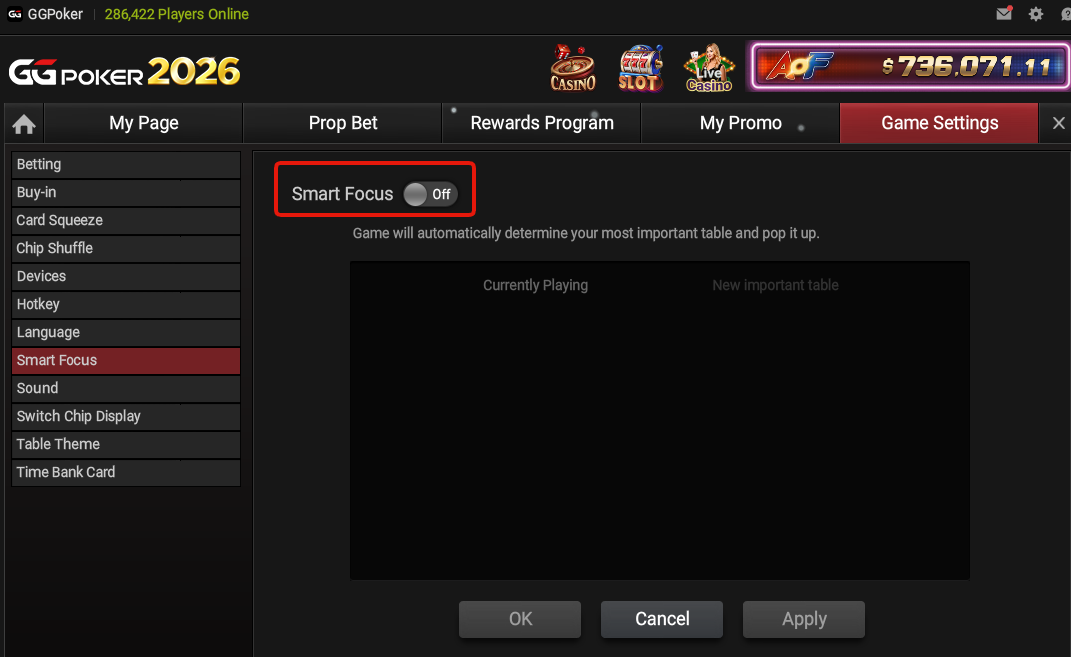
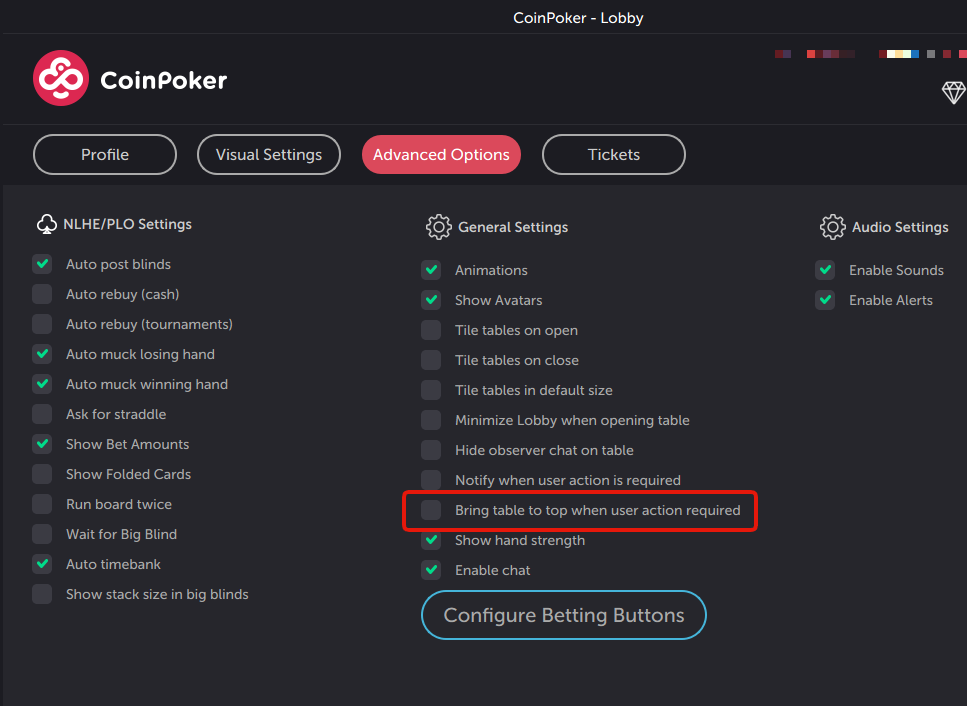
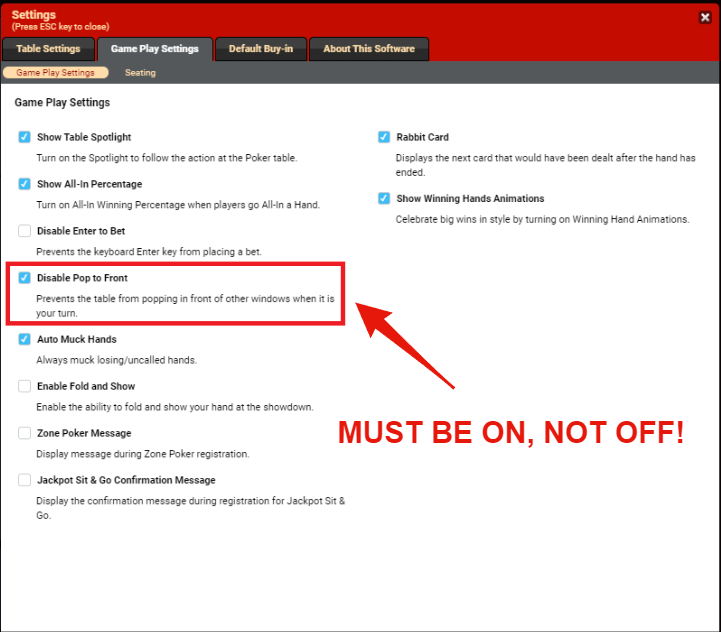
Each poker site (in general) has some urgency-feature, and in order to let Jurojin manage all this for you, some tweaks must be done on the site's native configuration.
PokerStars
GGPoker
CoinPoker
Bovada - Bodog - Ignition
IPoker
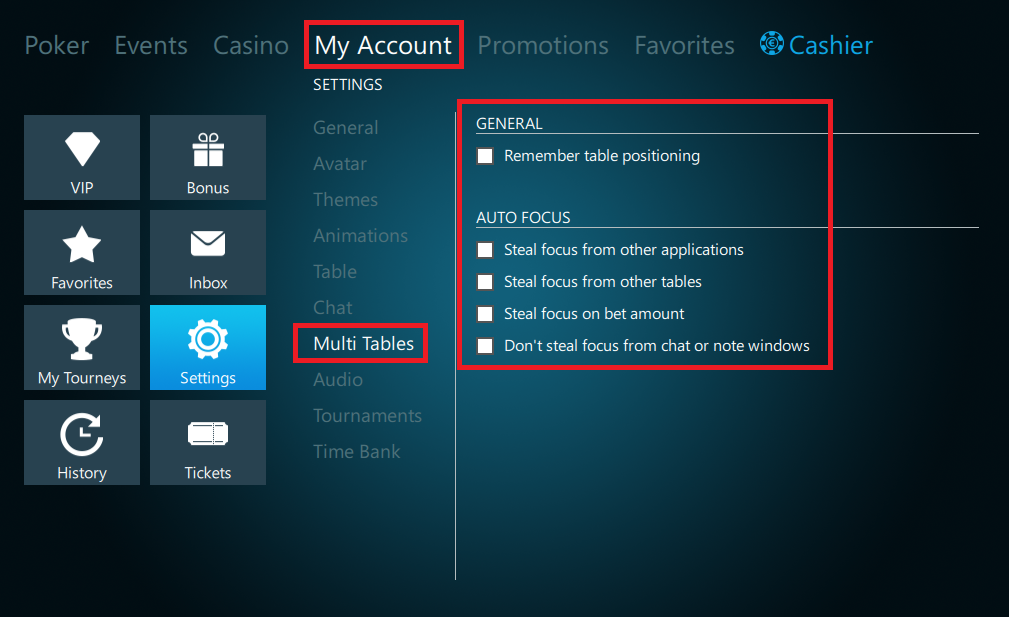
Winning Poker Network
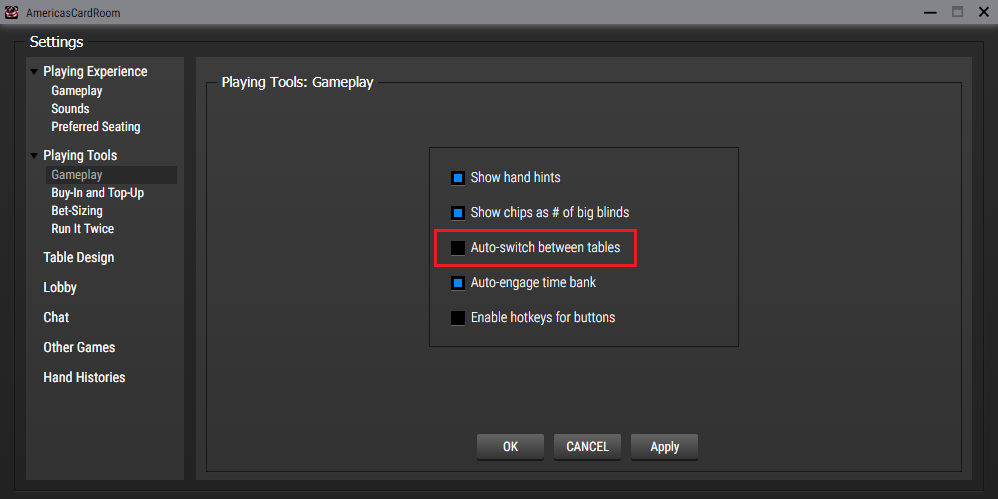
Winamax
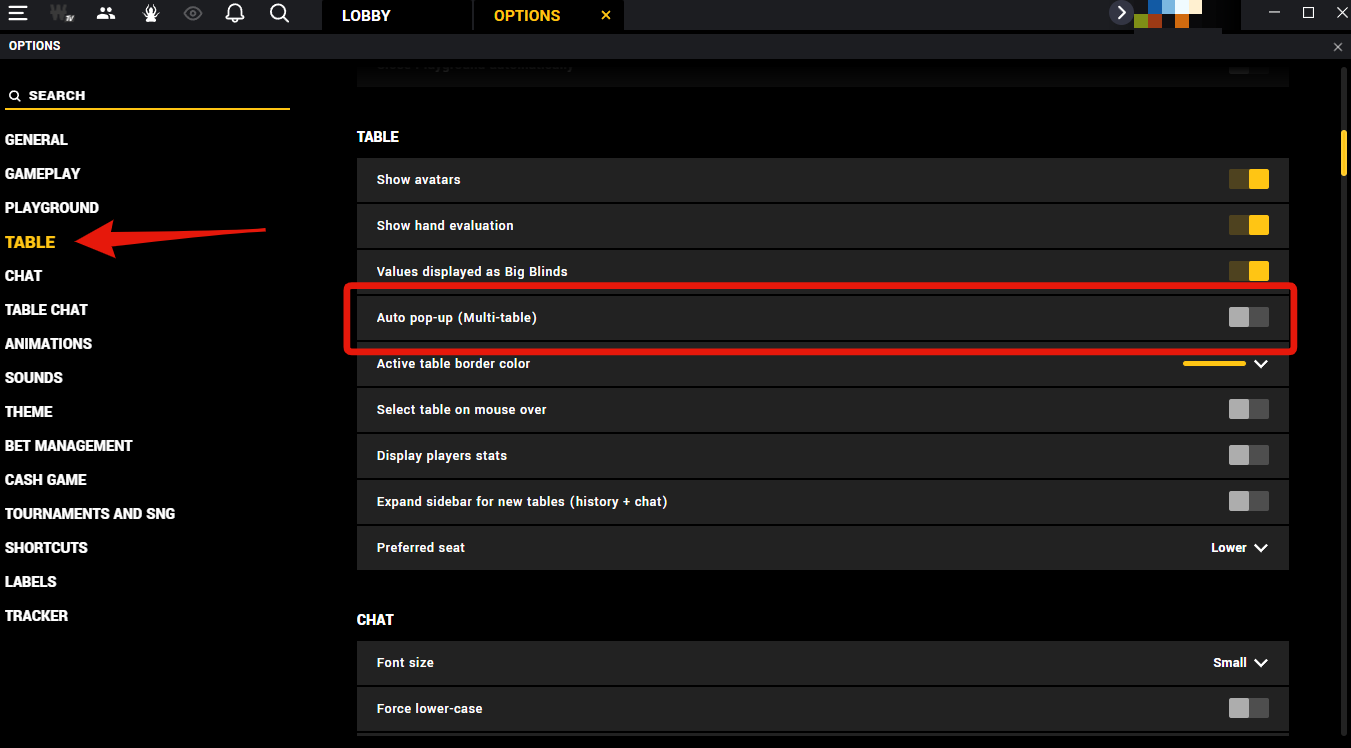
ChicoPoker / BetOnline / TigerGaming
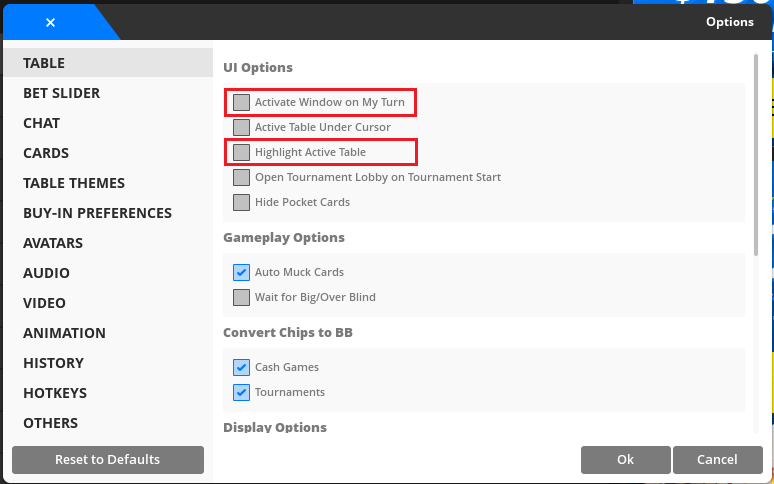
PartyPoker
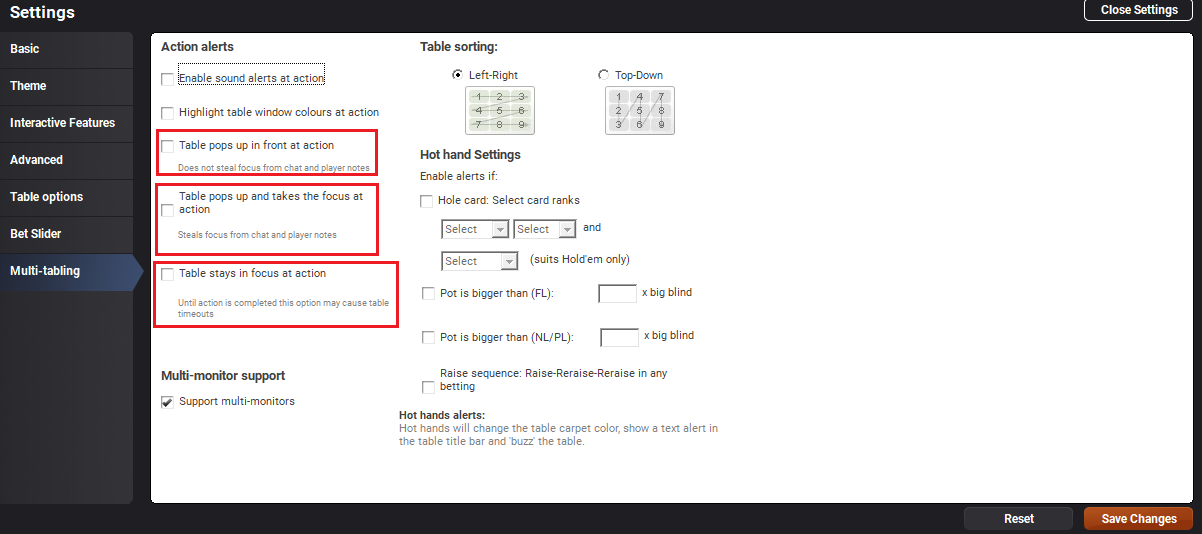
888 Poker